Program Summary & View
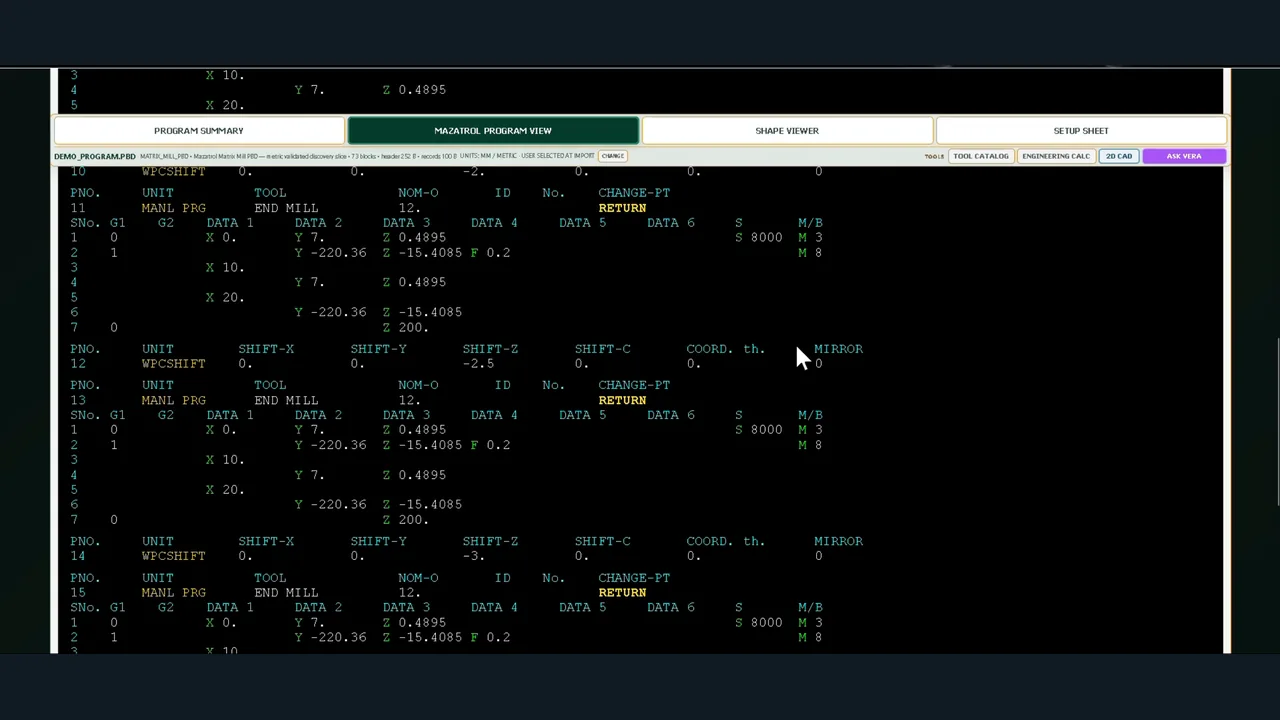
Present supported native Mazatrol units and program structure in a readable, engineering-oriented view.
MGC MATRIX AI / MAZATROL
PROGRAM INTELLIGENCE · READ-ONLY ENGINEERING CONTEXT
MGC Matrix AI transforms supported native Mazatrol programs into accessible manufacturing information: Program View, interpreted geometry, tooling context and practical Setup Sheets. The original machine program remains unchanged.
Supported program/control formats vary; geometry views depend on available decoded data.
ENGINEERING CAPABILITIES
Inspect supported Mazatrol turning, milling and Integrex programs without placing the original CNC file at risk.
Present supported native Mazatrol units and program structure in a readable, engineering-oriented view.
Visualise interpreted machining geometry where the control family and decoded program data support it.
Separate MILL X/Y and TURN X/Z drafting, profiles, patterns, dimensions and coordinate-based profile sheets.
Bring program structure, tooling references and relevant indexed-axis information into preparation documents.
Relate program tools to local workshop information: holders, inserts, grades and machine-specific references.
Contextual assistance, measurement tools and calculation support alongside deterministic program interpretation.
AUTHENTIC MAZATROL DEMONSTRATIONS
Actual screen recordings, not concept animations. Each short video focuses on a distinct application area.
Example programs from Fusion 640, Matrix and Smooth, showing the handling of different native milling formats.
Open on YouTube ↗A native Integrex PBE example carrying indexed-axis context through Program View, Shape Viewer and Setup Sheet.
Open on YouTube ↗Profiles, dimensions, coordinate points and Profile Sheets in a separate practical drafting workspace.
Open on YouTube ↗Reading a supported T6M program, interpreting program information and preparing a practical workshop Setup Sheet.
Open on YouTube ↗WORKFLOW
Inspect the native CNC source with the original file protected from modification.
Check manufacturing units, the supported control family and available machining data.
Inspect supported geometry, work in 2D CAD and add tooling references when available.
Generate appropriate setup information for human review before machine use.
PRODUCT STATUS & ROADMAP
The current Mazatrol product is maintained as a working, controlled baseline. Further development is planned as a separate product phase, without forcing Fusion development changes into this application.
Scope: actual decoding and reconstructed views depend on Mazatrol family and program structure. No claim is made that every control generation or every unsupported binary format is universally decoded.
Source protection: inspection and engineering assistance do not modify the original machine CNC program. Operator review remains essential.
MGC Matrix AI is independently developed by MGC Technical Service Ltd and is not a product of or endorsed by Mazak.
MAZATROL DEMONSTRATION
Tell us your Mazak control family, program format and the setup information you need. We can confirm whether your use case is within demonstrated coverage.