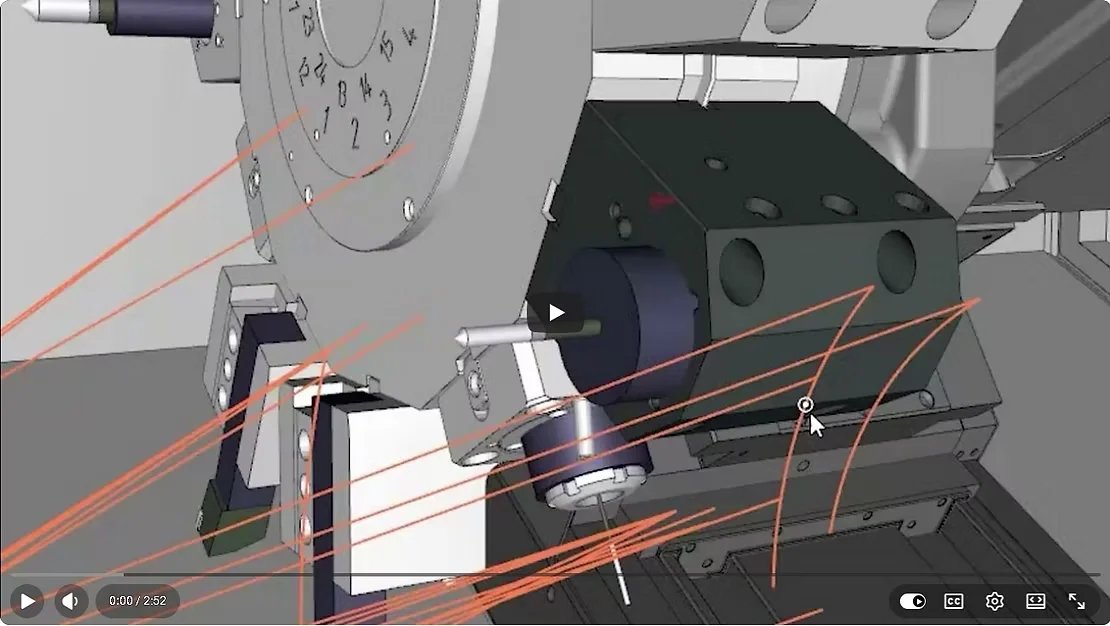
For everyone running complex simulations, your setup just got faster! ⏱️ The latest update in CIMCO Edit lets you manage tool mounts directly within the Tool Manager. No more jumping back and forth to the machine definition just to tweak a position. How it helps you: ⚡ Direct Control: Adjust tool positions and protrusion without leaving the Tool Manager.
✅ Smart Sync: Change your turret or mount, and tools update automatically—but your manual fine-tuning remains intact. ⚙️ Full Flexibility: Manually select mount STL files for even the most non-standard setups. This isn't just an update; it’s about getting your simulation 100% right with way less effort. 💡 See the new workflow in action https://www.youtube.com/watch?v=uUESlTQYlgo As the official CIMCO VAR for Scotland, MGC Technical Services can help you get this running on your shop floor. 📞 07411 943915 📧 sales@mgctechnicalservice.com 🌐 https://www.mgctechnicalservice.co.uk/ MGC Technical Services Ltd Bringing CIMCO's latest innovations to Scottish manufacturers #CNC #CNCmachining
#PrecisionEngineering #Manufacturing #Engineering #Machining #MachineTools #CADCAM #Industry40 #ScottishManufacturing #MadeInScotland #UKmanufacturing #ScottishEngineering #ManufacturingScotland #EngineeringUK #DigitalManufacturing #ukmfg #EngineeringUK #ukmanufacturing #cncprogrammer #cncmachining #cncmilling #cncmachinist #cuttingtool #toolholder #5axis #oilandgas #machineshop #cnccadcam #mechanicaldesign #mechanicalengineering #3ddesign #3dmodeling #design #cncmachine #cimco #turning #cncmill #SmartFactory #IndustrialIoT #MachiningInnovation #CNCProgramming #CNCsoftware #ShopFloor #LeanManufacturing #OperationalExcellence #FactoryOfTheFuture #ManufacturingTech #mgctechnicalservice #cimco Tags: #toolmanager #ScottishEngineering #cnccadcam #cimcoedit2025 ncprogramming cncmachining #mgctechnicalservice CIMCO solution for local company